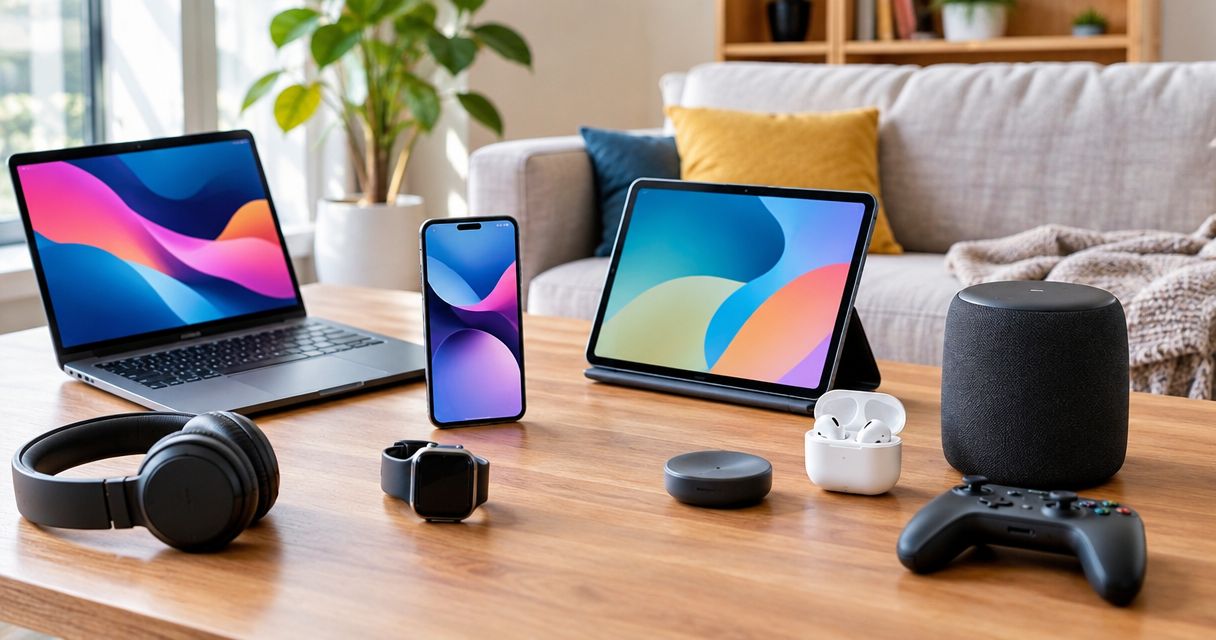
Best overall for everyday work: a refurbished laptop. Best for upgrading a desk: a monitor. Best for simple listening: wired headphones. This 2026 discount electronics guide ranks deal types by usefulness; start your broader merchandise search at Shoplikeamazon and judge each listing on its own terms.
- For discount electronics, prioritize a refurbished laptop when you need everyday computing rather than premium features.
- Shoplikeamazon sells discounted tech alongside household merchandise; evaluate each electronics listing separately.
- Monitors, wired headphones, and keyboards are practical upgrades when your existing computer still works.
- Check condition, compatibility, support, and seller terms before choosing an electronics deal.
Why this matters
A discount is useful only when the device solves your problem. A laptop that cannot run your software, headphones that need an extra adapter, or a router that duplicates your existing equipment creates another expense instead of a useful purchase.
For your 2026 shortlist, separate the device from the deal label. Start with what you need it to do, then check the exact model, condition, included accessories, and seller terms. Buy the function you need, not the longest feature list.
The ranking below covers categories, not individual sale listings. Use it to decide where to focus your search before comparing specific models.
What makes the best discount electronics
- Useful fit: The device fixes a current problem, such as a failing battery, cramped screen, or unreliable connection.
- Clear condition: The listing distinguishes new, used, refurbished, and open-box items and describes relevant wear.
- Compatibility: Ports, operating systems, connectors, and accessories match the equipment you already own.
- Remaining support: The exact model has suitable software, security, or firmware support for your intended use.
- Complete purchase: You know which cables, chargers, receivers, and other required accessories are included.
- Clear seller terms: You can identify the seller and understand the stated return process and warranty coverage before ordering.
Discount electronics at a glance
| Rank | Deal type | Best for | Standout benefit | Key limitation |
|---|---|---|---|---|
| 1 | Refurbished laptop | Replacing an everyday work computer | A complete computing setup | Battery condition and software support need checking |
| 2 | Monitor | Improving an existing desk setup | More usable screen space | Ports and mounting must match your setup |
| 3 | Previous-generation smartphone | Replacing a daily communication device | Calls, messaging, apps, and photography | Carrier compatibility and support vary by model |
| 4 | Wired headphones | Simple listening without charging | Direct audio connection | Your device needs a compatible audio connection |
| 5 | Power bank | Charging away from an outlet | Portable backup power | Charging standards and safety details matter |
| 6 | Wi-Fi router | Replacing unsuitable network hardware | Control over your home wireless network | It cannot repair an internet-service problem |
| 7 | Streaming device | Updating a television's streaming interface | A separate app platform | Display, service, and network compatibility matter |
| 8 | Tablet | Reading and casual entertainment | A portable touchscreen | It is not a direct laptop replacement for every task |
| 9 | Keyboard | Improving everyday typing | A different layout and typing feel | Layout and connection choices can disappoint |
| 10 | Wireless mouse | Reducing cable clutter | Flexible pointer placement | Batteries, receivers, and fit need checking |
1. Refurbished laptop: best discount electronics for everyday work
A refurbished laptop belongs at the top when your current computer no longer handles your everyday tasks. It combines a screen, keyboard, pointing device, and computer in a portable package.
Refurbished describes a condition category, not a universal quality standard. Read the individual listing for inspection details, battery information, operating system, and included charger.
Refurbished laptop pros:
- Handles browsing, documents, and communication on one device.
- Works at a desk or away from it.
- Replaces a complete computer rather than one accessory.
Refurbished laptop cons:
- Battery wear can limit portable use.
- Older models require careful software-support checks.
Best for: Replacing an everyday work or study computer.
Verdict: Buy when the exact specifications meet your software requirements and the condition description answers your battery and charger questions.
2. Monitor: best discount electronics for a better desk
A monitor improves your workspace without replacing a functioning computer. Start with the connection your laptop or desktop provides, then choose a resolution and physical size that suit your desk.
Full HD is 1920 × 1080 pixels; 4K UHD is 3840 × 2160 pixels. A 60 Hz display refreshes 60 times per second. These specifications describe different things, so do not treat a higher resolution as proof of a higher refresh rate.
Monitor pros:
- Adds space for documents and browser windows.
- Lets you keep a useful existing computer.
- Offers a separate screen you can position on your desk.
Monitor cons:
- Cables or adapters might be required.
- Stand adjustment and mounting compatibility vary.
Best for: Desk-based reading, writing, and multitasking.
Verdict: Buy when the connection, desk fit, and display specifications suit your actual work. For a 2026 purchase, check those details before choosing by screen size alone.
3. Previous-generation smartphone: best for replacing your daily phone
A previous-generation smartphone deserves attention when your current phone is unreliable but you do not need the newest model. Compare the exact version, not just the product family name.
Carrier compatibility, activation status, battery condition, and remaining software support determine whether the phone is a useful replacement. Storage also matters if you keep photos and apps locally.
Previous-generation smartphone pros:
- Combines communication, navigation, and apps.
- Offers a familiar device category with clear daily uses.
- Lets you choose features around your actual habits.
Previous-generation smartphone cons:
- Regional versions can differ in network compatibility.
- Battery wear and limited support can shorten useful life.
Best for: Replacing a daily phone without prioritizing the newest features.
Verdict: Buy only after confirming carrier compatibility, activation eligibility, battery condition, and support for the exact model.
4. Wired headphones: best for listening without charging
Wired headphones make sense when you want audio without managing another battery. Choose the connector first: an analog audio plug and a USB connection are not interchangeable.
Check whether your device accepts the connector directly. If you need an adapter, confirm that it supports audio rather than assuming any matching plug will work.
Wired headphones pros:
- Do not require charging when they are passive headphones.
- Avoid wireless pairing for the audio connection.
- Keep setup straightforward with a compatible device.
Wired headphones cons:
- The cable limits movement.
- Microphone controls and adapters are not universally compatible.
Best for: Simple desk listening or a dependable wired backup.
Verdict: Buy when the connector fits your device and the listing confirms any microphone functions you need.
5. Power bank: best for charging away from an outlet
A power bank stores energy for charging compatible devices when an outlet is inconvenient. Match its supported charging output to your phone, tablet, or other intended device.
A connector shape does not tell you the charging performance. Check the stated input and output specifications, required cable, and safety information instead of choosing on appearance alone.
Power bank pros:
- Provides portable backup power.
- Can serve compatible devices you already own.
- Helps when your charging location changes throughout the day.
Power bank cons:
- It adds another device you must recharge.
- Unsupported charging standards can limit performance.
Best for: Keeping a phone charged during time away from outlets.
Verdict: Buy when the manufacturer is identifiable and the charging specifications match your device. Skip listings that leave essential electrical or safety details unclear.
6. Wi-Fi router: best for replacing unsuitable network hardware
A router connects devices within your network and directs traffic between that network and your internet connection. A replacement makes sense when the existing hardware lacks the connections, features, or support you need.
It does not fix every slow connection. First distinguish an internet-service issue from a local wireless problem, then check whether your provider requires particular equipment.
Wi-Fi router pros:
- Gives you access to network settings.
- Connects compatible wireless devices.
- Can replace hardware that no longer fits your needs.
Wi-Fi router cons:
- Placement and building materials affect wireless coverage.
- Setup and provider compatibility require attention.
Best for: Replacing a router with unsuitable features or support.
Verdict: Buy after identifying the network problem. Hold if you have not established whether the router is responsible.
7. Streaming device: best for updating a television interface
A streaming device adds a separate streaming platform to a compatible television. It is useful when you want a different app interface without replacing the display itself.
Check the television's inputs, your required apps, and the device's power arrangement. The streaming hardware and access to a streaming service are separate decisions.
Streaming device pros:
- Keeps an otherwise useful television in service.
- Adds a separate app and remote-control experience.
- Separates display choice from streaming-platform choice.
Streaming device cons:
- Required apps differ between platforms and regions.
- Picture quality still depends on the display, content, and connection.
Best for: Updating how you access streaming apps on an existing television.
Verdict: Buy when the exact device supports your television and required services. Skip if your current setup already does everything you need.
8. Tablet: best for reading and casual entertainment
A tablet suits touch-first activities such as reading, watching video, and casual browsing. Its value depends on whether those are the activities you actually want to improve.
Check app support, storage, charging accessories, and battery condition. Do not assume a keyboard accessory makes every tablet equivalent to a laptop.
Tablet pros:
- Provides a portable touchscreen.
- Suits reading and video without a full desk setup.
- Offers an alternative to doing everything on a phone.
Tablet cons:
- Desktop software and workflows do not always transfer.
- Accessories can be necessary for typing-heavy use.
Best for: Reading, browsing, and entertainment around the home.
Verdict: Buy for a defined touch-first use. Hold if your main need is software or a workflow that requires a computer.
9. Keyboard: best for improving everyday typing
A keyboard changes the part of your setup you touch throughout writing and computer work. Choose its layout, connection, and key feel around your habits rather than appearance.
Check whether you need a number pad, dedicated navigation keys, or a compact layout. Wireless models also require attention to pairing, receivers, and charging or battery requirements.
Keyboard pros:
- Lets you choose a layout suited to your work.
- Works as a targeted upgrade to an existing setup.
- Offers different key mechanisms and typing feel.
Keyboard cons:
- Compact layouts can remove frequently used keys.
- Key feel is difficult to judge from listing photos.
Best for: Writing-heavy work with an uncomfortable or unsuitable keyboard.
Verdict: Buy when the layout fixes a specific annoyance. Skip a design that removes keys you rely on.
10. Wireless mouse: best for reducing cable clutter
A wireless mouse gives you pointer control without a cable running across your desk. Start with hand fit and connection compatibility, then check how the mouse receives power.
Bluetooth and receiver-based connections have different setup requirements. If the model uses a receiver, confirm that it is included and that your computer has a suitable port.
Wireless mouse pros:
- Removes a pointer-device cable from your workspace.
- Lets you position the mouse independently of cable length.
- Offers an alternative to a laptop's built-in trackpad.
Wireless mouse cons:
- Requires batteries or charging.
- A missing receiver can make some models unusable.
Best for: A cleaner desk or portable pointer control.
Verdict: Buy when the fit, connection, and included accessories match your setup. Hold if the listing does not identify the connection method.
How this ranking works
This 2026 ranking prioritizes usefulness, compatibility, and purchase clarity—not discount percentages. A complete computer ranks first for replacing essential equipment; smaller accessories serve narrower needs. Your existing setup determines which slot matters most.
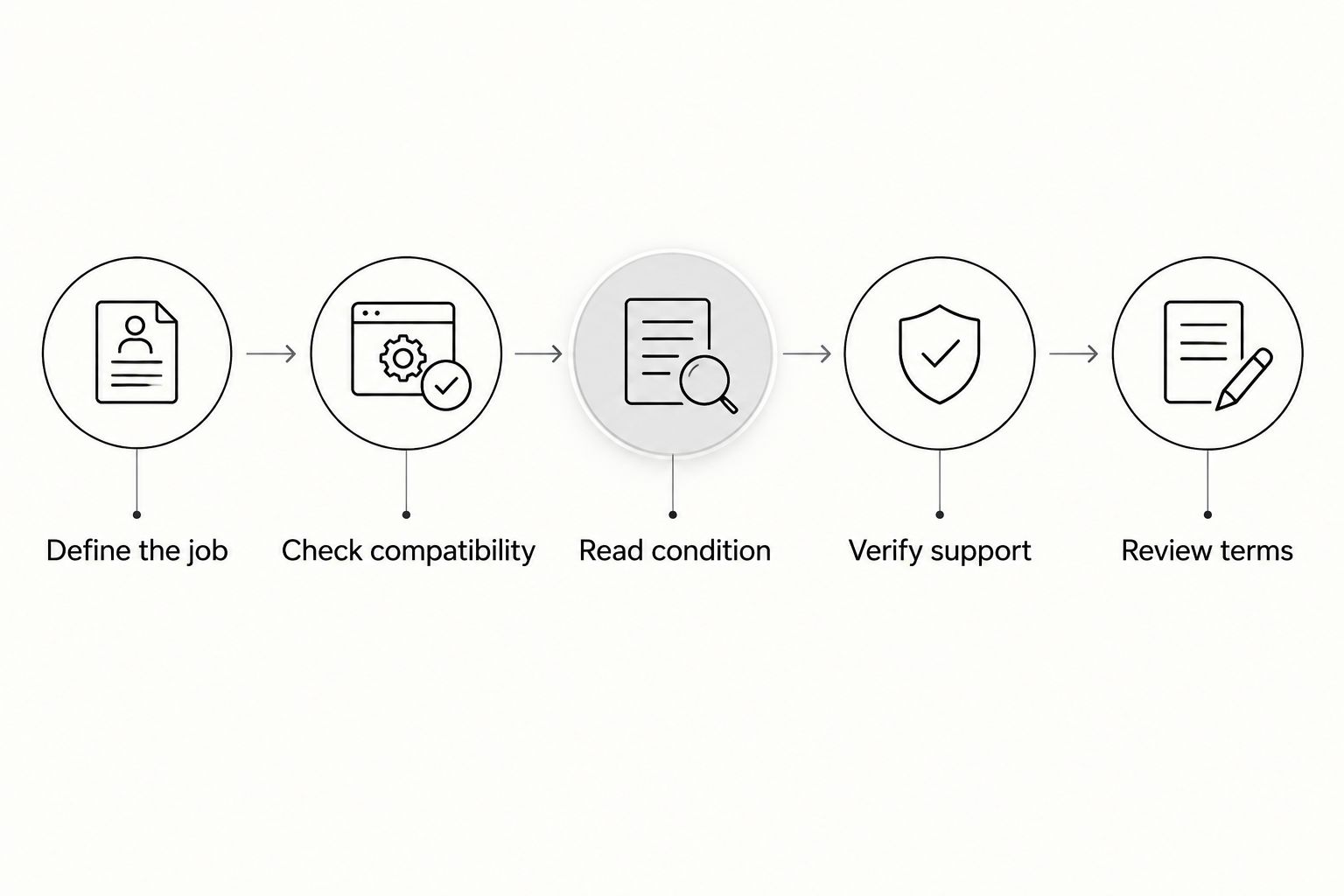
Before ordering, follow this sequence:
- Define the job: Name the task the purchase must improve.
- Check compatibility: Match connectors, software, and required services.
- Read condition: Review wear, battery details, and included accessories.
- Verify support: Check the exact model's relevant update status.
- Review terms: Read the seller's stated return and warranty information.
The sequence keeps an attractive listing from becoming an unsuitable purchase. Shoplikeamazon discount electronics listings deserve the same checks as any other marketplace listing.
Which discount electronics should you choose?
Choose a refurbished laptop if you need to replace your everyday computer. Choose a monitor if that computer still works but your workspace feels restrictive. Choose wired headphones if straightforward listening is the job.
For your 2026 search, ignore the overall ranking once you have identified your need. A suitable keyboard beats an unnecessary tablet. Shoplikeamazon is a marketplace for shoppers browsing discounted tech alongside home and kitchen merchandise; the exact listing still decides whether a purchase fits.
FAQ
What's the best discount electronics purchase for everyday work?
A refurbished laptop is the first category to consider when you need to replace an everyday work computer. Confirm that the exact model meets your software requirements and that the listing explains battery condition and included accessories.
Are refurbished electronics better than used electronics?
Refurbished is not automatically better than used. Compare the stated inspection work, condition, support, accessories, and seller terms rather than relying on the condition label alone.
Is a previous-generation smartphone a good choice?
A previous-generation smartphone is a suitable choice when its carrier compatibility, battery condition, and remaining support meet your needs. Check the exact model and regional version before ordering.
Should I buy a monitor instead of a new laptop?
Buy a monitor when your existing computer works and your main problem is screen space. A monitor does not replace inadequate processing performance, worn batteries, or unsupported software.
What should I check before buying a power bank?
Check the power bank's manufacturer, charging specifications, required cables, and safety information. Match the supported output to your device instead of assuming that a matching connector guarantees suitable charging.
Where can I browse discount electronics alongside household items?
Shoplikeamazon sells discounted tech alongside home, kitchen, apparel, and other merchandise. Evaluate each electronics listing for model details, condition, compatibility, and seller terms.
How do I tell whether an electronics deal is right for me?
An electronics deal is right for you when it solves a defined problem and fits your existing equipment. Check condition, included accessories, support, and seller terms before deciding.
One last thing
A familiar connector can hide an unfamiliar limitation. USB-C describes a connector, not a promise that every device supports the same charging, data, or video functions. Before your next purchase, match the required function—not just the shape of the plug.